Free Text‑to‑Speech Online with Human‑like AI Voices
Generate lifelike audio from text with support for 30+ languages, 83 voices, and 236 styles. Enjoy natural, clear pronunciation, adjustable speed, and easy MP3 export.
Generate Your Audio from Text
English
EmmaFemale
Advanced Settings
Neutral
How to Convert Text to Speech Online for Free
Input Your Text
Paste or type the text in any language you want to convert to speech.
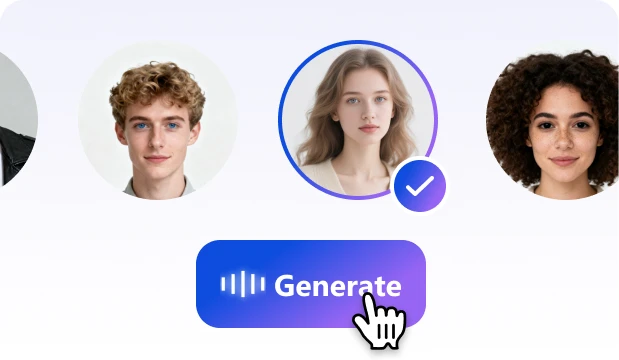
Adjust Audio Settings
Select a language and voice, and customize speed, tone and style as needed.
Generate, Listen & Download
Click "Generate" to create your audio, listen instantly, and download the MP3.
Create Better Audio with These Features

High-Quality, Human-like Voices
Powered by advanced AI voice models, your text transforms into lifelike, natural-sounding speech with smooth pacing, rich emotion, and immersive vocal detail.

Adjustable Speed, Tone, Emotion
Fine-tune playback speed, tone, mood, and delivery style. Create calm narrations, energetic promos, lively character voices, or soothing bedtime reads with full control.

Multilingual Support
Generate speech in over 30 languages. Our AI voice generator switches seamlessly between languages, pronouncing words authentically without the “foreign accent” effect. From English and Spanish to Japanese and Arabic, your audio stays clear, natural, and globally accessible.

Fast TTS to MP3 Download
Enjoy fast text to MP3 conversion with studio‑quality output. Instantly generate audio, preview it, and download as MP3 with one click.

Commercial Use Friendly
All audio you create is licensed for commercial use—no royalties, no attribution required. Perfect for YouTube monetization, client projects, ads, and professional content.

Security & Privacy First
Your text stays safe with enterprise‑grade protection. We follow strict privacy standards, ensuring safe, confidential text-to-speech conversion for personal, professional, and sensitive content.
Online Text to Speech Use Cases

Create professional podcasts with AI text to voice converter. Ideal for content creators seeking fast production, multilingual reach, and engaging audio storytelling for global audiences.
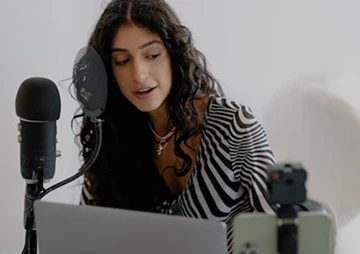
Generate natural video voiceovers for YouTube, TikTok, and marketing. Perfect for creators and businesses needing affordable dubbing, multilingual narration, and consistent brand voice.

Turn long texts into lifelike audiobooks with customizable AI voice generator. Great for publishers, authors, and educators delivering immersive storytelling, accessible learning, and multilingual content to wider audiences.
Boost productivity by converting reports, emails, and notes into audio. Professionals can multitask while commuting, saving time and improving focus with text to voice tools.

Enhance learning and memory by listening to your text instead of reading it. Students and language learners can absorb information more effectively with natural audio that supports better focus, comprehension, and long-term retention.

Enhance e‑learning and corporate training with AI narration. Students and professionals benefit from engaging audio lessons, multilingual support, and improved retention in digital education.
Multilingual Text to Speech
Bring your content to life with multilingual AI voices covering 30+ languages and regions.


Frequently Asked
Questions
Frequently Asked Questions
What is Text to Speech (TTS) and how does it work?
Text to Speech (TTS) technology converts written text into natural‑sounding audio. Our AI voices process your input instantly, applying pitch, tone, and emotion settings to generate lifelike speech that can be used for learning, productivity, or content creation.
Is TextaVoice’s TTS converter free?
Yes. It is completely free. You can generate unlimited audio, convert long text, and download MP3 files without subscriptions, credits, or usage limits.
Are there any usage limits?
Almost none. Each conversion supports up to 2,000 characters, far above most competitors who only allow a few hundred. There are no limits on the number of generations, downloads, or files you can create.
Which languages does your AI voice generator support?
We support 30+ languages, including:
English, Chinese, Japanese, Korean, Spanish, French, German, Italian, Portuguese, Arabic, Hindi, Dutch, Turkish, Russian, Thai,
Vietnamese, Malay, Indonesian, Polish, Swedish, Norwegian, Danish, Hebrew, Greek, Czech, Romanian, Hungarian, Finnish, Bulgarian,
Ukrainian, Bengali, Tamil, Telugu, Marathi, Urdu, Filipino, Swahili, Afrikaans, and more. We support
What voice types and speaking styles are available?
We offer multiple voice options for each language, including both male and female voices. A variety of speaking styles is also available, such as Neutral, Cheerful, Formal, Friendly, Sad, Excited, Conversational, Shouting, Whispering, and Storytelling. Voice options and speaking styles may vary by language. You can further customize speech speed, pitch, and tone.
Can I upload documents for text to voice?
Currently, our tool supports direct text input only. File upload is not yet available. However, upcoming updates will allow you to upload documents in multiple formats, making long‑form audio generation even easier.
Can I download text to speech as MP3?
Yes. All generated audio can be downloaded as high-quality MP3 files, making it easy to share, repurpose, or integrate into podcasts, videos, and e‑learning materials.
Is commercial use allowed for generated text to speech audio?
Absolutely. Since all voices are AI‑generated, the audio is fully licensed for commercial use. You can safely apply it to marketing, training, audiobooks, podcasts, YouTube/TikTok videos, or any other business project.
How to convert text to speech online for free?
Simply paste your text into the editor, choose a language and voice, adjust the speed or style if needed, and click “Generate”. You can listen instantly and download the MP3 for free—no registration, limits, or payments required.